Verification and badges
What each trust badge means and how to earn it.
Badges help you decide who to trade with. They show on profiles and next to names on listings. Each one is earned automatically when you meet its rules, and some can be lost again.
Works in:Android appWeb app
See your badges
- Web app: open Trust and disputes. Under Trust badges you see each badge, whether you have it, and your progress towards the ones you don't have yet.
- Android app: open Account, then Earnings & trust, or tap Trust center in Quick actions.
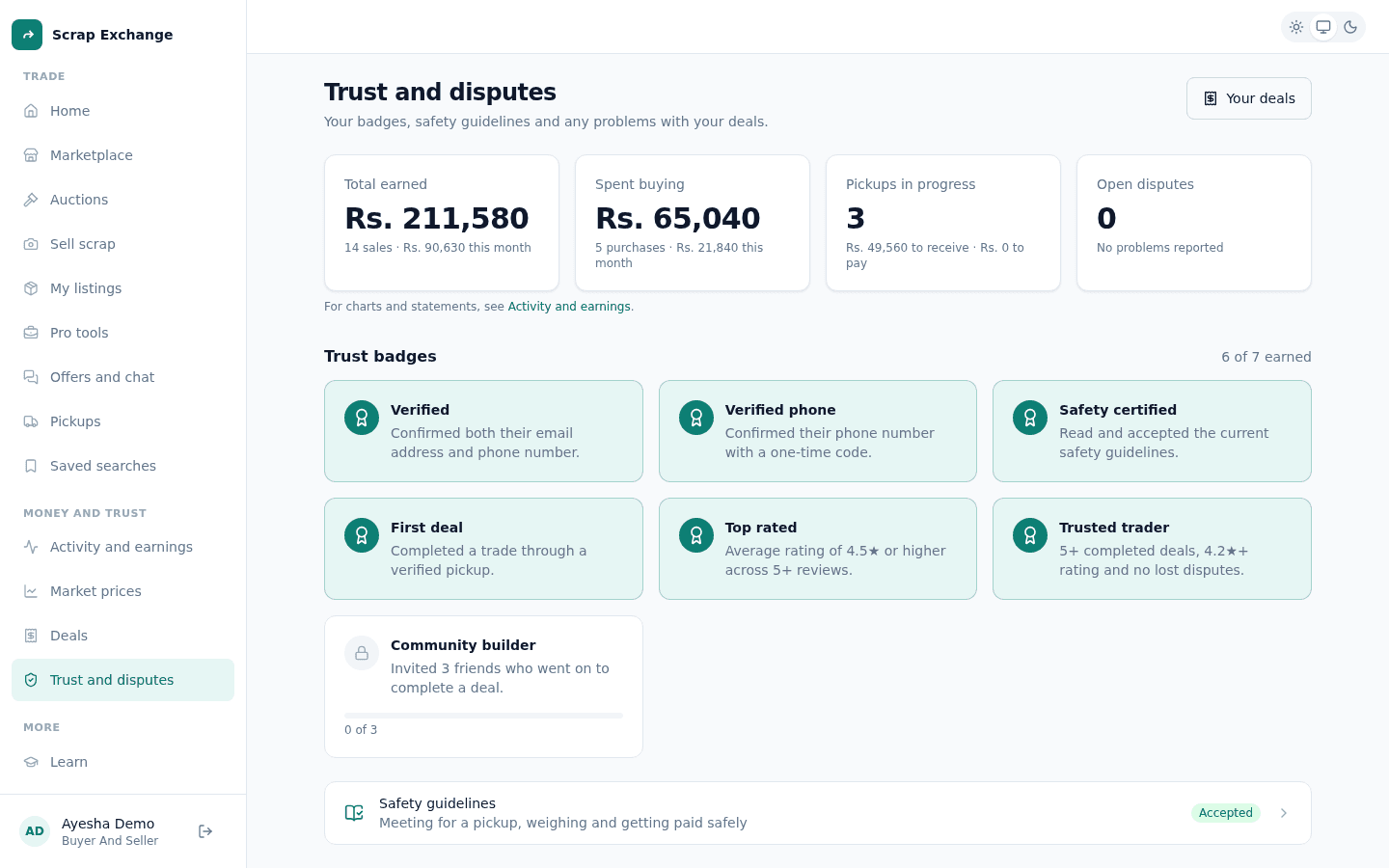
Every badge
| Badge | How to earn it |
|---|---|
| Verified phone | Confirm your phone number with a one-time code. |
| Verified | Confirm both your email address and your phone number. |
| Safety certified | Read and accept the current safety guidelines. |
| First deal | Complete a trade through a verified pickup. |
| Top rated | An average rating of 4.5 stars or more, from at least 5 reviews. |
| Trusted trader | At least 5 completed deals, at least 3 reviews averaging 4.2 stars or more, an account at least 14 days old, and no lost or open disputes against you. |
| Community builder | Invite 3 friends who go on to complete a deal. |
Badges you can lose
- Trusted trader goes away as soon as a dispute is opened against you, or if you lose a dispute. It is hard to earn and quick to lose, on purpose.
- Safety certified goes away when the safety guidelines are updated, until you read and accept the new version.
- Top rated depends on your average rating, so it can go away if your rating drops below 4.5.
How to get verified
- Phone: see Verify your email and phone.
- Email: see Change or verify your email.
What badges don't mean
Badges show what someone has done on Scrap Exchange. They are not a guarantee. Always follow the safety guidelines, keep your conversation in the app, and only confirm a pickup once you are paid.