Contact us
Send feedback to the Scrap Exchange team from the app or the web app.
The best way to reach the Scrap Exchange team is Send feedback, in the app or the web app. We read every message, and our reply shows up under your message.
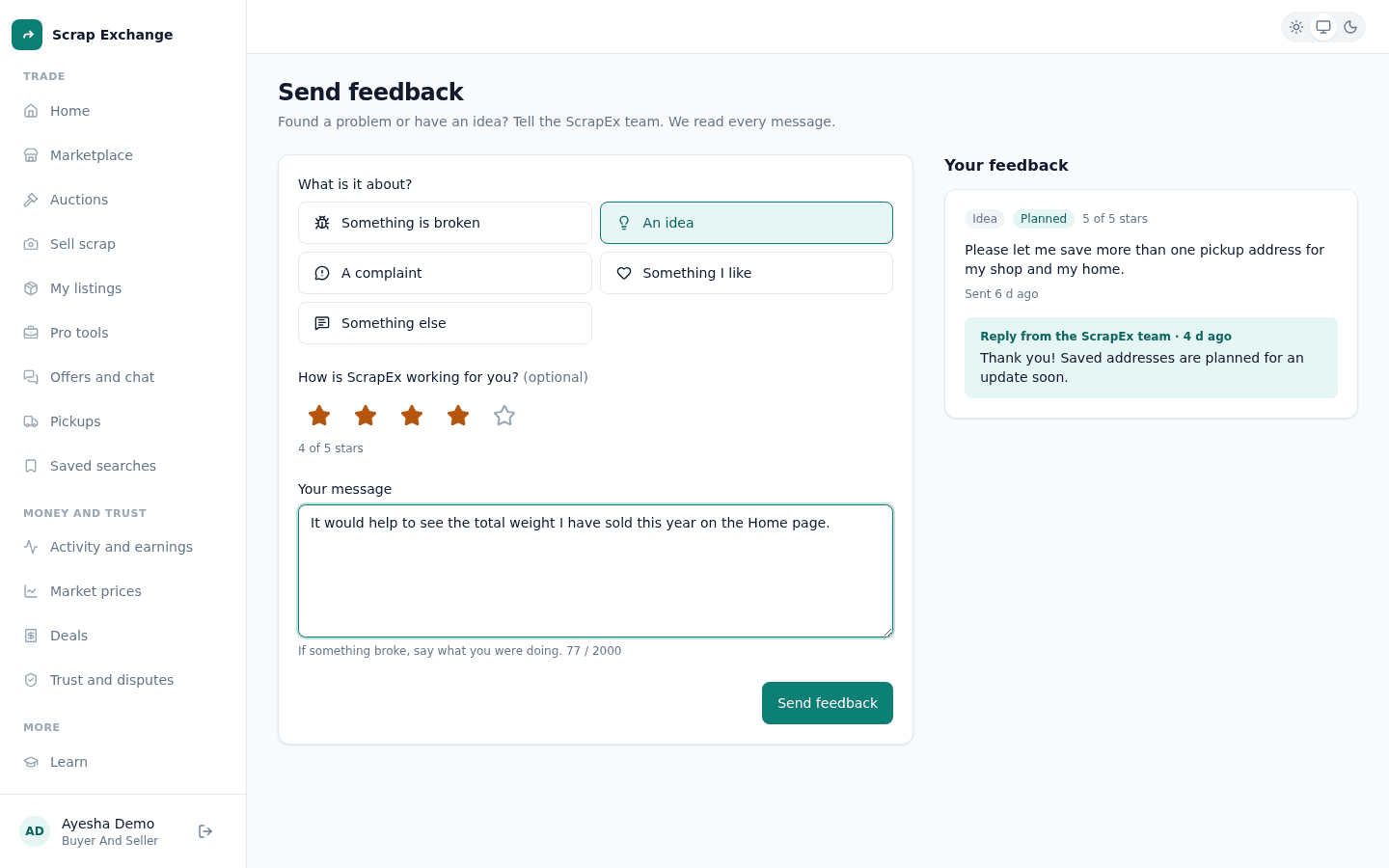
Send feedback
- Open Send feedback:
- Web app: Send feedback in the menu, or Tell us what you think at the bottom of Updates.
- Android app: Account, then Send feedback.
- Choose what it is about: Something is broken, An idea, A complaint, Something I like or Something else.
- Write your message (at least 10 characters, up to 2000). If something broke, say what you were doing.
- Optional: tell us how Scrap Exchange is working for you, with a rating.
- Send it.
You see "Thanks for your feedback!"
Follow your messages
Your messages are listed on the same page with their status, such as Received or Being reviewed. When the team replies, you get a notification and the reply appears under your message.
What to include
- What you were trying to do, and what happened instead.
- Whether you were in the app or the web app, and the app version (Account, at the bottom).
- The listing, offer or pickup involved, if any.
Other ways to get help
- A problem with a completed deal: open a dispute from the deal. See Disputes.
- A listing or post that breaks the rules: report it. See Report a listing or content.
- If you feel unsafe: leave and contact the local authorities first.
There is no support email address or phone line. Feedback in the app or the web app reaches the same team.