Make an offer
Offer your price per kg for some or all of a lot and follow it in Offers and chat.
An offer is the price per kg you want to pay and how many kg you want. The seller can accept it, answer with a counter offer, or decline it.
Works in:Android appWeb app
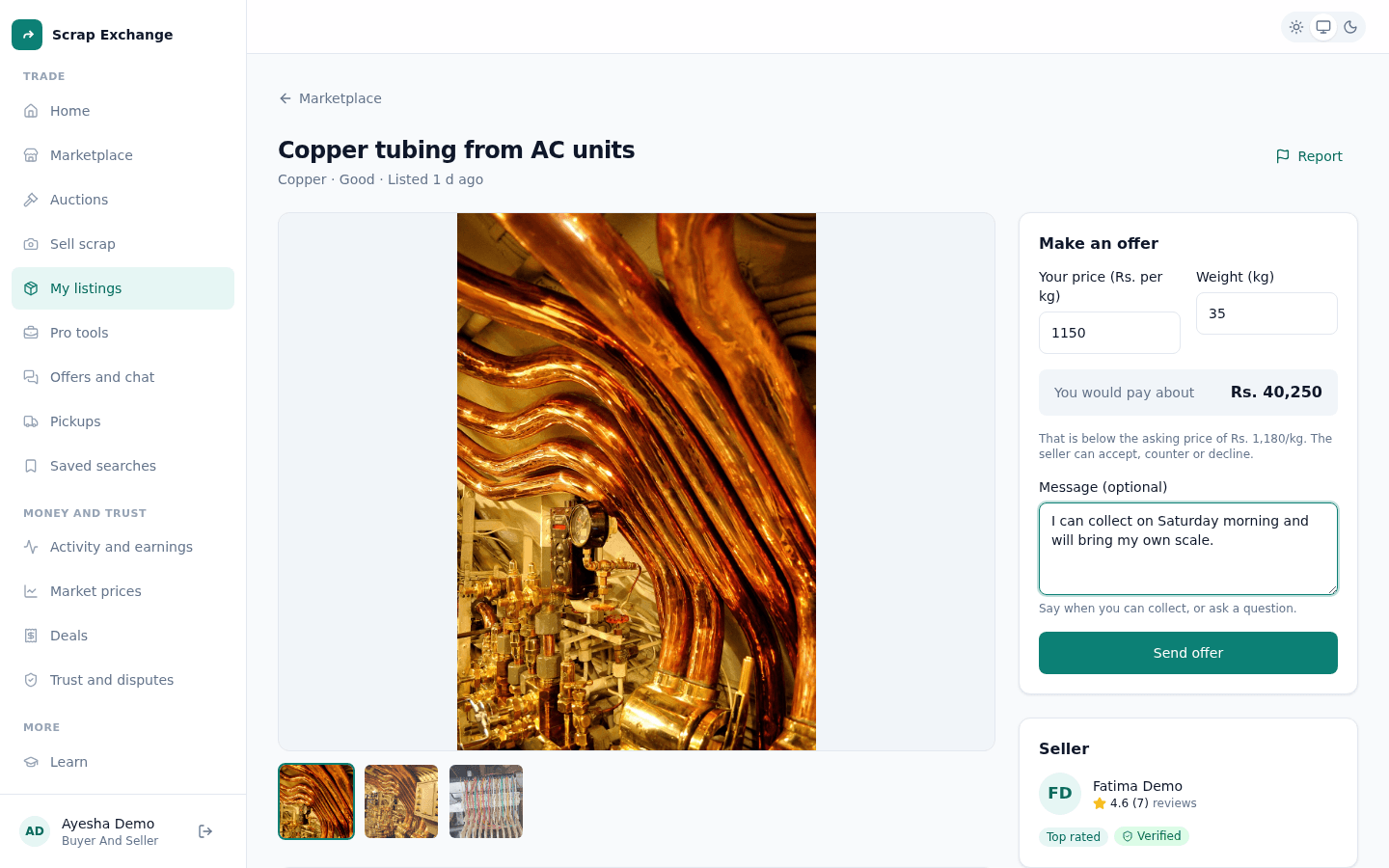
Make an offer
- Open the listing and select Make an offer.
- Enter Your price (Rs. per kg).
- Enter the Weight (kg) you want. You can offer for all of it or part of it, but not more than the seller has.
- Check You would pay about: the total for that weight at your price.
- Optional: add a message, for example when you can collect ("I can pick up this week") or a question.
- Select Send offer.
You see "Offer sent to the seller". The seller gets a notification.
Follow your offer
Open Offers and chat and choose Offers I made (in the app: tap Offers in the bottom bar, then Made). Each offer shows its status:
| Status | What it means |
|---|---|
| Waiting for reply | The seller hasn't answered yet. The offer shows when it expires. |
| Countered | A newer counter offer replaced this one. Open the newest round to answer it. |
| Accepted | The seller accepted. Confirm the deal to book the pickup. |
| Declined | The seller declined the offer, or it was withdrawn. |
| Expired | Nobody answered for 48 hours. Make a new offer if you are still interested. |
| Completed | The pickup is done and the deal is saved. |
Change or withdraw your offer
While you wait, open the offer and select Change my offer to send a new price, or Withdraw offer to cancel it.
When the seller accepts
The seller accepting is not the end: you confirm the deal. Open the offer and select Confirm deal and book pickup. This creates the pickup, and the listing is taken off the market. See Schedule a pickup.
You can't make an offer when
- it is your own listing;
- the listing is no longer live;
- the lot is being auctioned (place a bid instead).