Automatic sign-out
Why the web app signs you out after 2 hours idle, and what happens when a session is ended elsewhere.
To keep your account safe on shared and public computers, the web app signs you out after a while without activity. It also signs you out at once when your session is ended from somewhere else.
Works in:Web app
Signed out after 2 hours idle
If you don't use the web app for 2 hours, you are signed out.
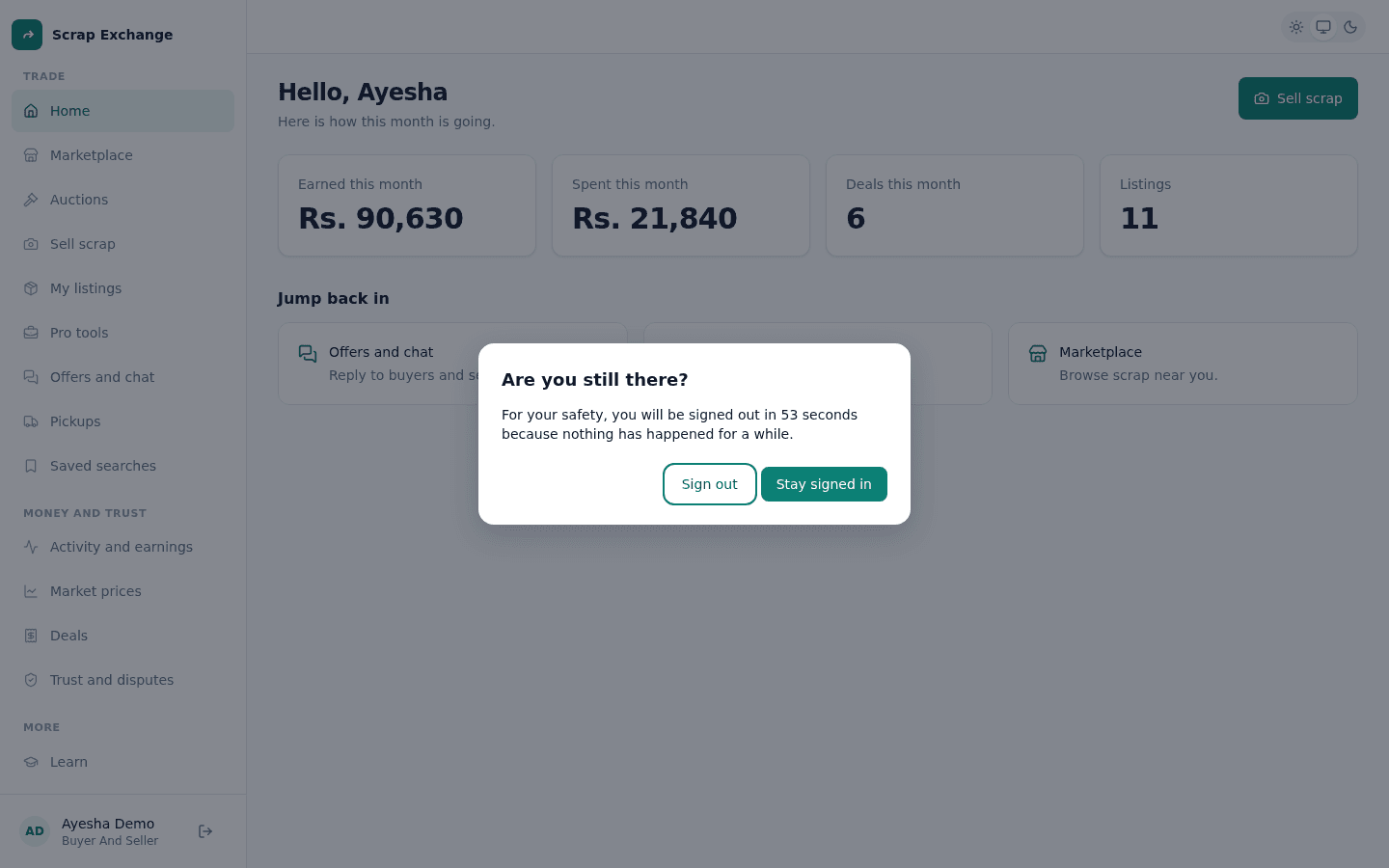
- One minute before, you see Are you still there? Select Stay signed in to carry on, or Sign out.
- Activity in any tab counts: clicking, typing, scrolling or touching the page. If you have the web app open in several tabs, using one keeps them all signed in.
- Closing the tab doesn't keep you signed in: the 2 hours count on our side too.
After an idle sign-out, the sign-in page says "You were signed out after 2 hours without activity". Sign in again to carry on. You don't need a sign-in code if this browser is still trusted.
Signed out because of something that happened elsewhere
The web app is told straight away when your session ends, and signs you out with a reason on the sign-in page:
| Message on the sign-in page | Why |
|---|---|
| Your session ended. You may have signed out on another device. | This browser was signed out from Account status and devices on another device. |
| You signed out on every device. | Someone used Sign out everywhere on your account. |
| Your password was changed. Sign in with the new one. | Your password was changed or reset. |
| This account has been suspended. | A moderator suspended the account. |
| This account was deleted. | The account was deleted at your request. |
In the Android app
The app doesn't sign you out for being idle. You are signed out when:
- you sign in on another phone ("You signed in on another phone, so this one was signed out");
- your password changes, someone uses Sign out everywhere, or the account is suspended or deleted;
- you haven't used the app for about a week, and the session expired ("Your session expired. Please sign in again").