Listing details
What a listing page shows: photos, price, weight, condition, location and the seller's reviews and badges.
Open a listing from the marketplace to see everything about the scrap and the seller before you make an offer.
Works in:Android appWeb app
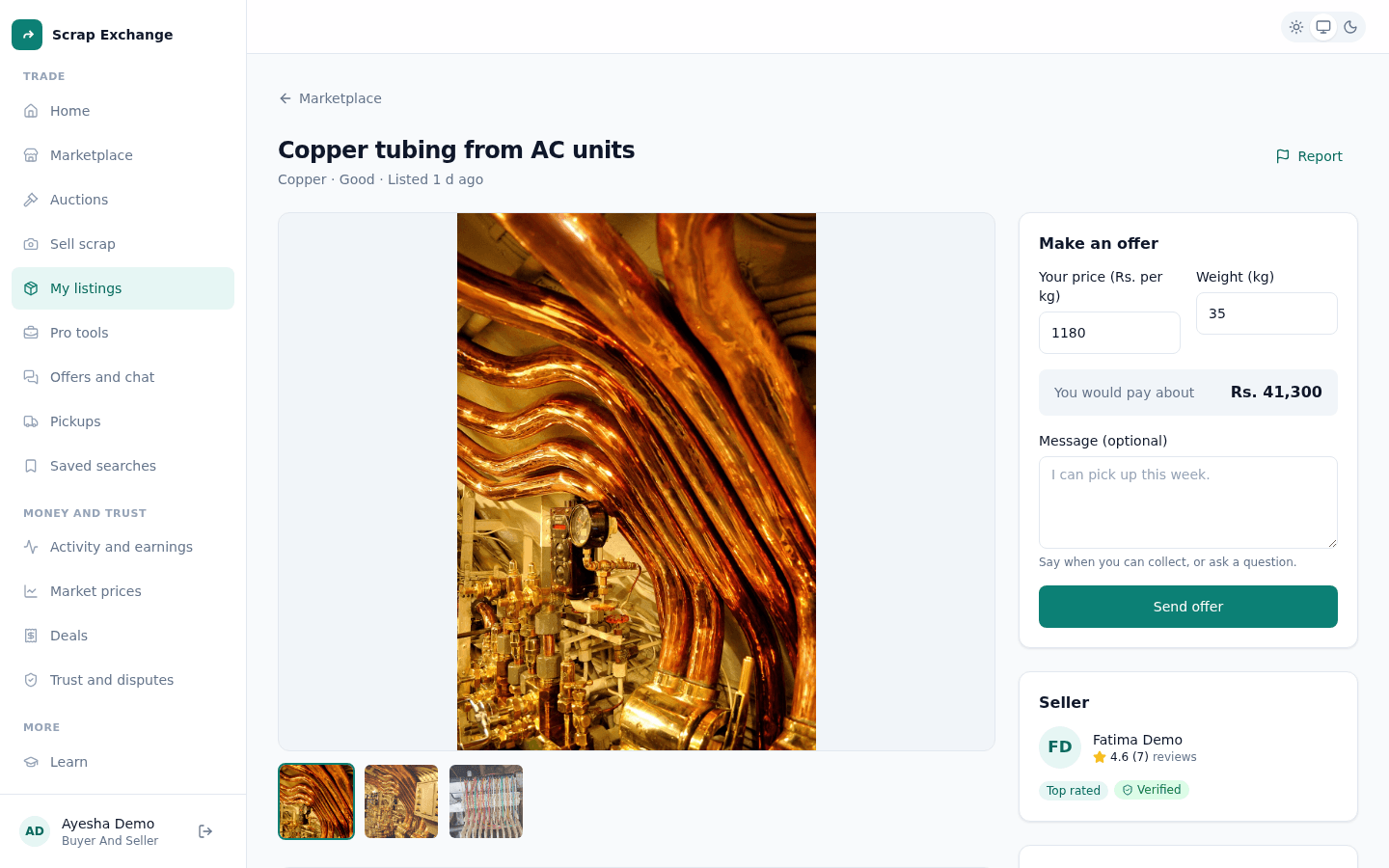
What a listing shows
- Photos: select a photo to see it bigger, or move between photos.
- Price per kg and weight.
- Whole lot: the price per kg times the weight, so you know the total.
- Material and condition.
- About this scrap: the seller's description, if they added one.
- Location: if the seller shared a pickup point, you can open it on a map (it opens in a new tab). If not, ask the seller in the chat.
About the seller
The seller's card shows their name, photo, rating and number of reviews, and their badges (such as Verified phone or Trusted trader). Select the seller to open their profile, with their other listings and reviews. On their profile you can save the seller to come back to them later.
See Verification and badges for what each badge means.
What you can do
- Make an offer: send your price per kg and how many kg you want. See Make an offer.
- Open offers and chat: if you already made an offer, continue there.
- Bid: if the lot is being auctioned, offers are paused and you place a bid instead. See Bid in auctions.
- Report this listing: if something is wrong, such as spam, a scam or wrong information. See Report a listing or content.
Your own listing
When you open one of your own listings you see This is your listing. You can't make an offer on it. Use See offers to see buyers' offers, or Open the auction if it is being auctioned.
"This listing is no longer available"
The listing was sold, closed by the seller or taken down. Go back to the marketplace to find something similar, or save a search.