Offers and counter offers
Accept, counter, decline or withdraw offers, and confirm the deal.
Every deal starts with an offer. The buyer and seller can go back and forth with counter offers until they agree. Then the seller accepts, and the buyer confirms the deal to book the pickup.
Works in:Android appWeb app
Where to find offers
- Web app: Offers and chat. Choose Offers I made or Offers on my listings, and filter by status.
- Android app: tap Offers in the bottom bar and choose Made or Received. Chats are under Chats.
How a deal is agreed
- The buyer makes an offer: a price per kg and a weight.
- The seller answers: Accept offer, Make a counter offer, or Decline.
- More rounds if needed: either side can counter. The buyer can change their offer while they wait.
- The seller accepts the offer they are happy with.
- The buyer confirms the deal: Confirm deal and book pickup on the web, Confirm handshake and schedule pickup in the app. This books the pickup and takes the listing off the market.
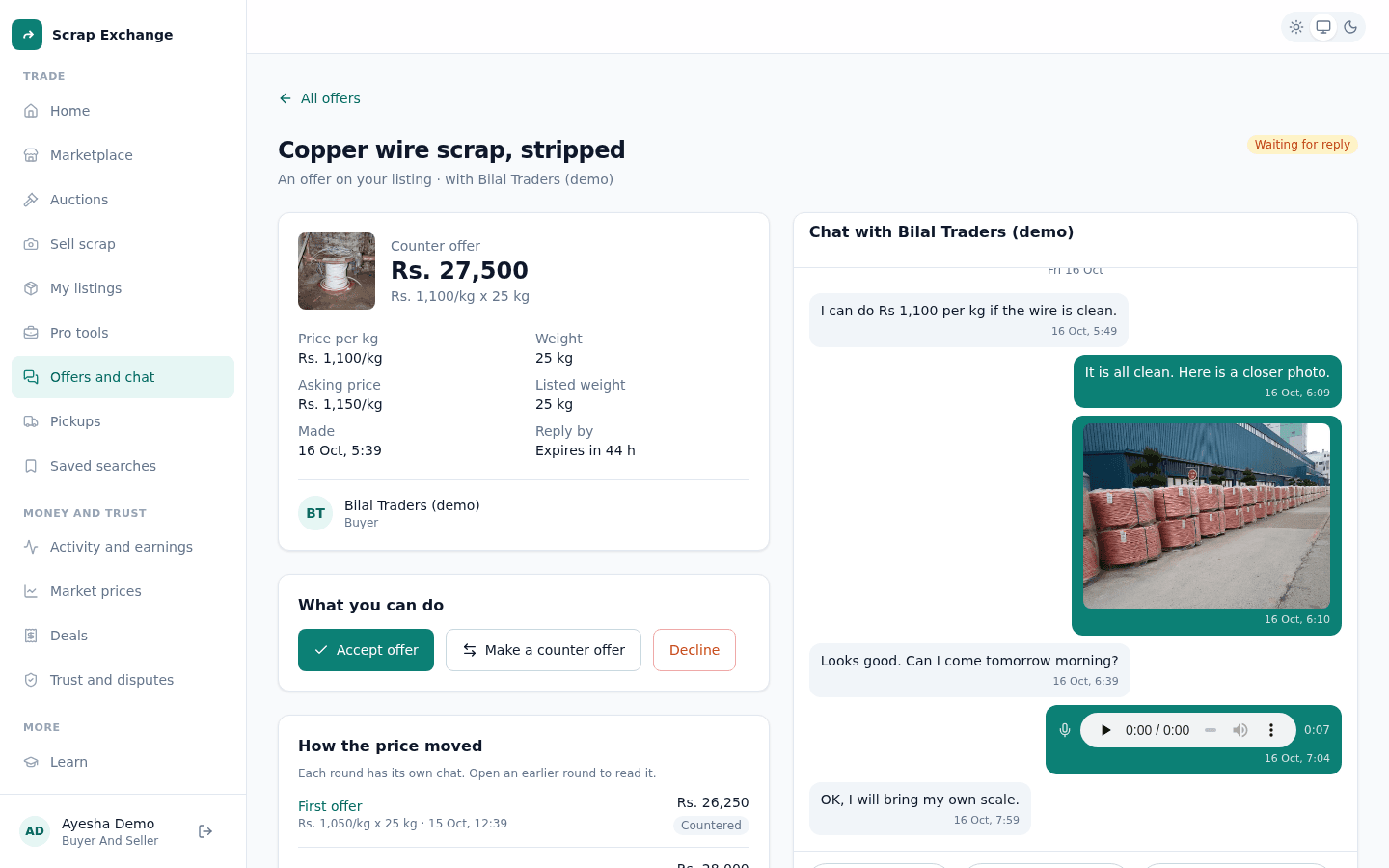
For sellers: answer an offer
Open the offer from Offers on my listings (or from the listing in My listings).
- Accept offer: you agree to the buyer's price and weight. You see "Offer accepted. The buyer confirms next." You can only have one accepted offer per listing at a time. To accept another, decline the first.
- Make a counter offer: enter your price per kg and weight. You can pick one of the suggested prices based on today's market. Select Send counter offer.
- Decline: the buyer is told. You can't decline once a pickup is in progress: cancel the pickup instead.
For buyers: answer a counter offer
Only the seller can accept. If you are happy with the seller's counter, send the same price back as your offer (Change my offer), and the seller can accept it. Or send a different price, or Withdraw offer.
How the price moved
Each offer page shows How the price moved: the first offer and every counter, with the price and weight of each. Each round has its own chat: open an earlier round to read what was said then. An older round says "A newer counter offer replaced this one" with a link to the latest.
After the seller accepts
- The buyer sees "accepted your offer. Confirm the deal to book a pickup" and selects Confirm deal and book pickup. They can also Back out.
- While waiting for the buyer, the seller can Cancel the deal.
- Once the buyer confirms, the deal is on. Both of you see Open the pickup. See Schedule a pickup.
Expired offers
An offer or counter offer that gets no answer for 48 hours expires. Both sides are told. The buyer can make a new offer on the listing if it is still for sale.