Search the marketplace
Search listings and filter by material, price, weight, condition and distance.
The marketplace lists scrap for sale near you. Search for what you buy, narrow it down with filters, and open a listing to make an offer.
Works in:Android appWeb app
Open the marketplace
- Web app: select Marketplace in the menu.
- Android app: tap Buy scrap in Quick actions on the Home screen, or Marketplace on the Home screen.
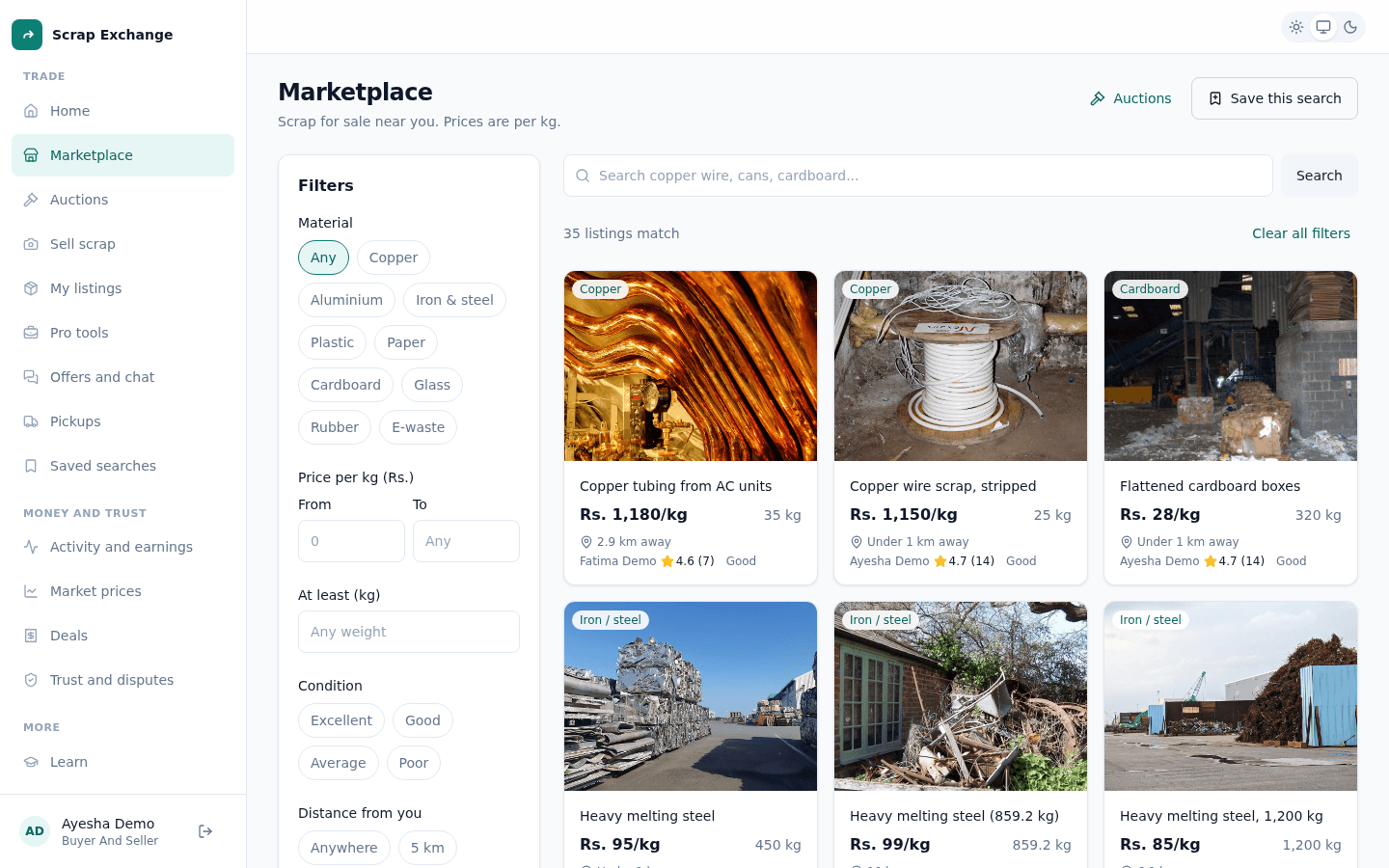
Search
Type what you are looking for in the search box, for example "copper wire", "cans" or "cardboard". The results show listings with those words in the title or description.
Filters
Select Filters to narrow the results. The button shows how many filters are on.
| Filter | Choices |
|---|---|
| Material | Copper, Aluminium, Iron and steel, Plastic, Paper, Cardboard, Glass, Rubber, E-waste. |
| Price per kg (Rs.) | A lowest and a highest price. The lowest can't be above the highest. |
| At least (kg) | Only lots of this weight or more. Leave empty for any weight. |
| Condition | Excellent, Good, Average or Poor. |
| Distance from you | Within 5, 10, 25 or 50 km, or Anywhere. Needs your location. |
Select Show results to apply them. To start again, use Clear filters (web) or Reset filters (app).
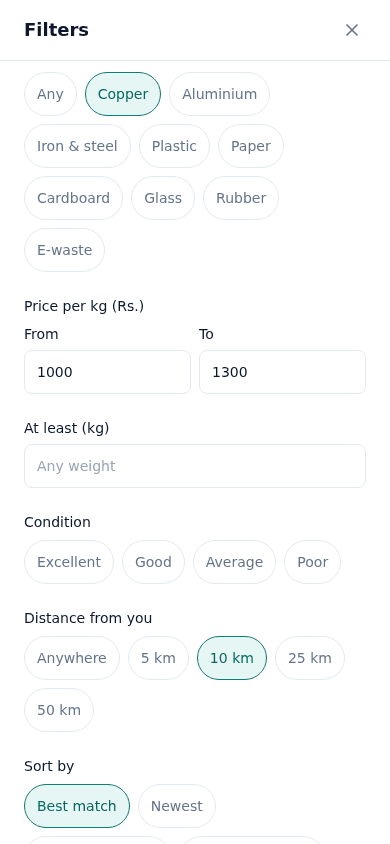
Distance needs your location
To filter by distance, allow your browser or phone to share your location when it asks. If location is blocked, you see a message and the results show scrap from anywhere. Each listing card shows how far away it is, for example "3.2 km away".
Sort
- Best match: the default. Puts the best listings first, using the listing's strength (photos, clear details, a fair price), the seller's trust (badges and reviews), how new it is and how well it matches your search.
- Newest: the most recently listed first.
- Price: low to high and Price: high to low: by price per kg.
Reading a listing card
Each card shows the main photo, the title, the material, the price per kg, the weight, the distance, and the seller's rating and badges. Open it for the full details. See Listing details.
Nothing matches?
Try fewer filters, or select Save this search and we tell you as soon as something new comes in. See Saved searches and alerts.
The local map (Android app)
In the app, tap Local map in Quick actions to see dealers near you on a map. You can:
- open a dealer's card to see their details and rating;
- tap the heart to save a dealer to your favourites, and show only favourites;
- save places you use often;
- write a review of a dealer.