Saved searches and alerts
Save a search and get told as soon as matching scrap is listed.
Looking for something that isn't listed yet? Save the search. We tell you as soon as matching scrap is listed, so you can make an offer before anyone else.
Works in:Android appWeb app
Save a search from the marketplace
- In the Marketplace, search and set the filters for what you buy, for example copper within 10 km.
- Select Save this search (on the web) or tap the bell (in the app).
- Give the search a name, check the details, and save. On the web, keep Tell me when new scrap matches ticked to get alerts. In the app, tap Save and alert me.
Create one from scratch
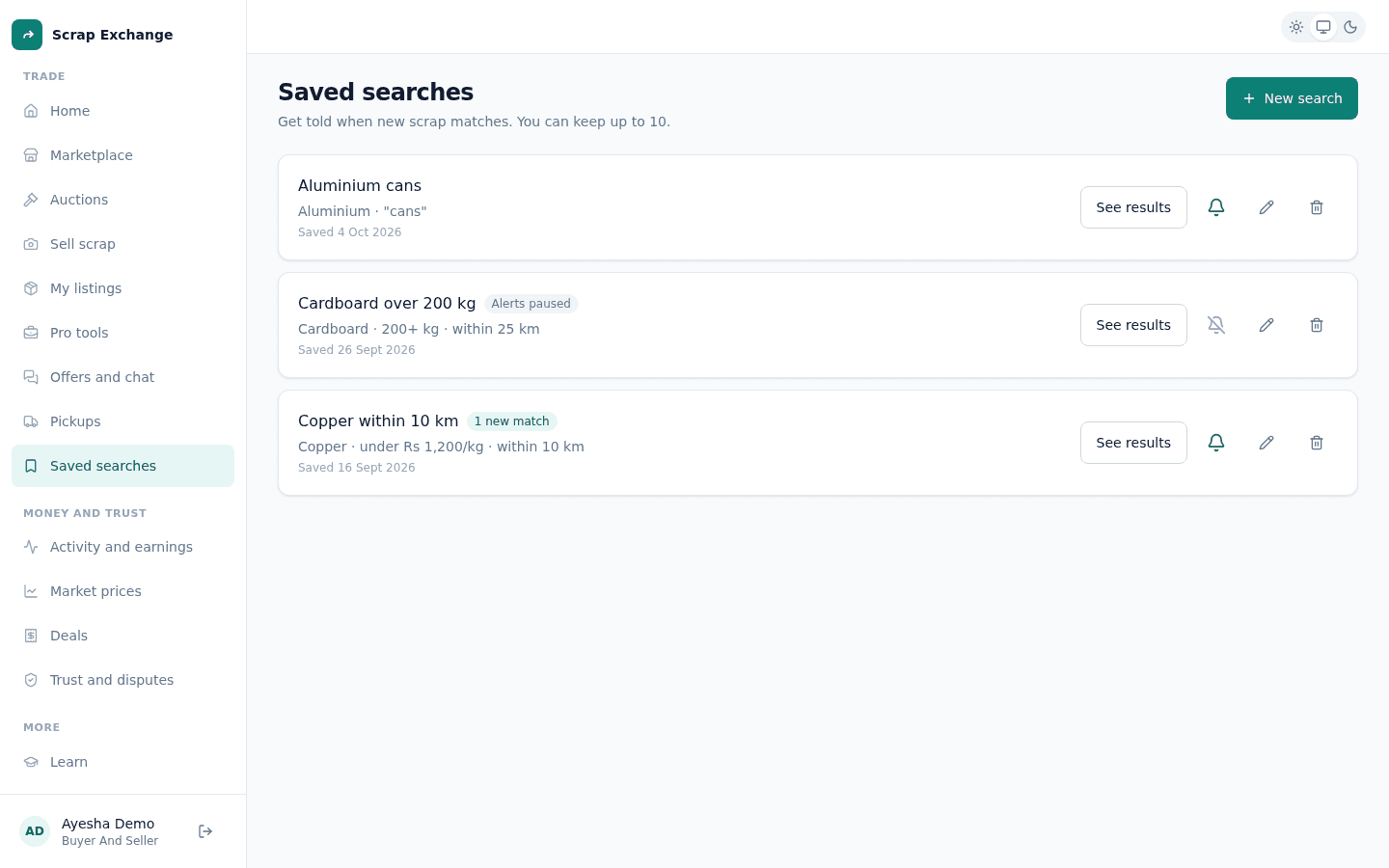
- In the web app, open Saved searches in the menu. (In the app, open Saved searches from the marketplace.)
- Select New search.
- Fill in:
- Name: so you recognise it.
- Material: or any scrap.
- Words to look for: every word must be in the title or description.
- Highest price (Rs. per kg) and At least (kg): both optional.
- Distance from me: measured from where you are now. Allow your location if asked.
- Save it.
Alerts
- When a new listing matches, you get a notification. For each search you get at most one alert every 30 minutes, so a seller who lists ten lots at once doesn't send you ten alerts.
- Turn alerts on or off for each search with its Alerts switch.
- Open a saved search to see what matches right now.
Limits
You can keep up to 10 saved searches. Delete one to add another.