Bid in auctions
Place bids on big lots, follow the countdown and what happens when you win.
Sellers auction big lots of 50 kg or more. You bid a price per kg, and when time runs out the highest bid at or above the seller's hidden reserve wins.
Works in:Android appWeb app
Find auctions
- Web app: select Auctions in the menu. Choose a material to narrow the list, or My auctions for auctions you bid on.
- Android app: open Auctions. Choose Live or Mine.
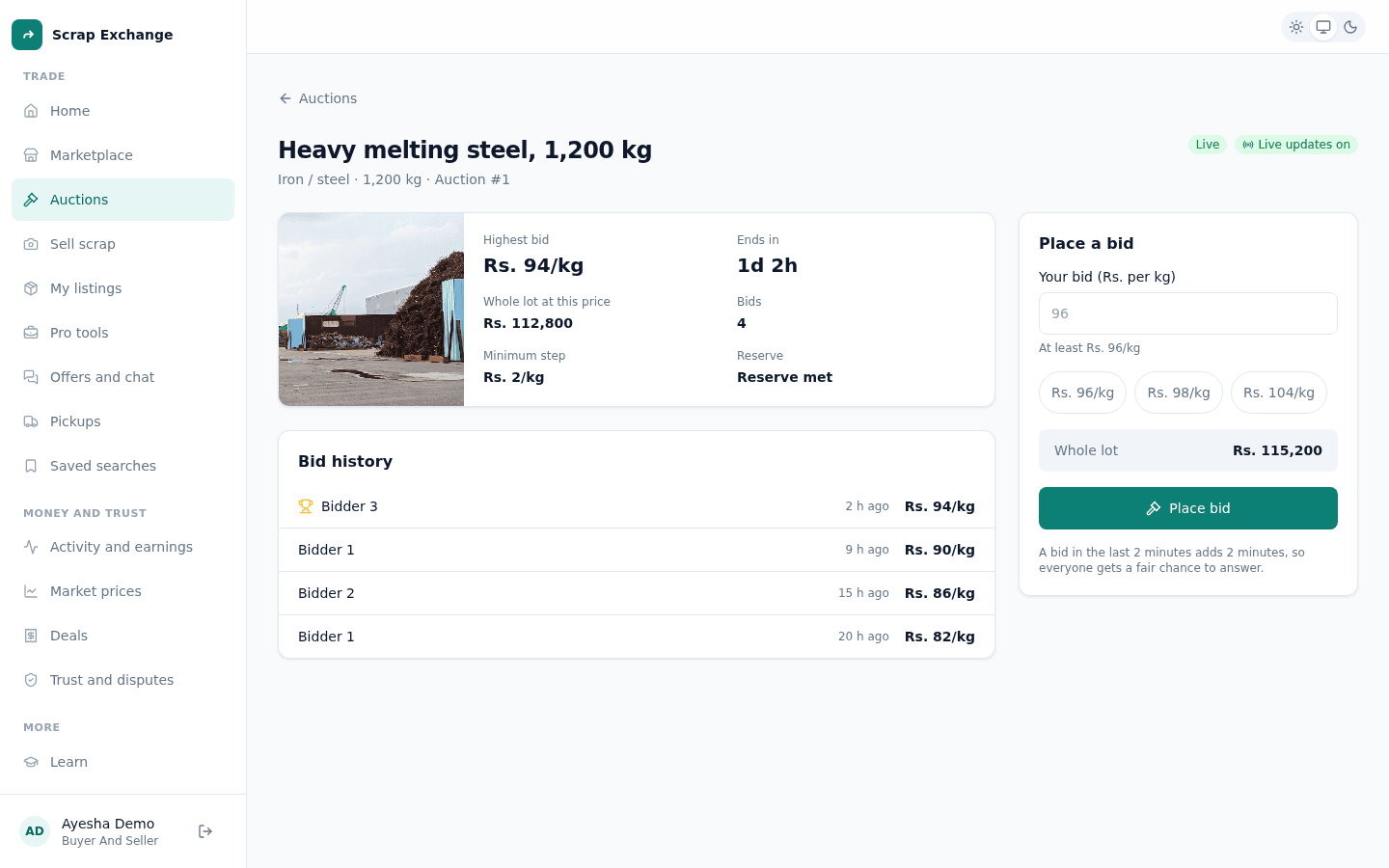
Each auction shows the current highest bid (or the starting price), the weight and how long is left.
Place a bid
- Open the auction.
- Under Place a bid, enter Your bid (Rs. per kg). It must be at least the amount shown: the current price plus the minimum step.
- Check what the whole lot comes to at that price.
- Place the bid.
You see "Bid placed" and that you are the highest bidder. The page updates live while you watch ("Live updates on").
Rules that keep it fair
- Each bid must beat the current price by the minimum step shown on the page.
- A bid in the last 2 minutes adds 2 minutes to the clock, so everyone gets a fair chance to answer.
- You can't bid on your own auction, and you can't outbid yourself while you are already the highest bidder.
- If two people bid at the same moment, only one bid counts. The other person is asked to refresh and try again.
- The reserve price is hidden, but the page shows Reserve met or Not met yet.
If someone outbids you
We tell you, so you can bid again before the time runs out.
When it ends
- You won: your bid becomes an accepted offer. Open Offers and chat and confirm the deal to book the pickup. See Schedule a pickup.
- Someone else won, or it ended without a sale (no bids, or the reserve wasn't met): nothing more to do.
- The seller cancelled it: a seller can only cancel before the first bid.
Related
- Auction a lot (for sellers)
- Make an offer