Earnings and statements
See what you sold and bought, by period and material, and download a CSV or a monthly PDF statement.
See how much you sold and bought, for any period, broken down by material. Download your figures as a CSV file, or a monthly statement as a PDF to keep for your records.
Works in:Android appWeb app
Open Earnings
- Web app: Activity and earnings, then the Earnings tab.
- Android app: tap Earnings in Quick actions on the Home screen.
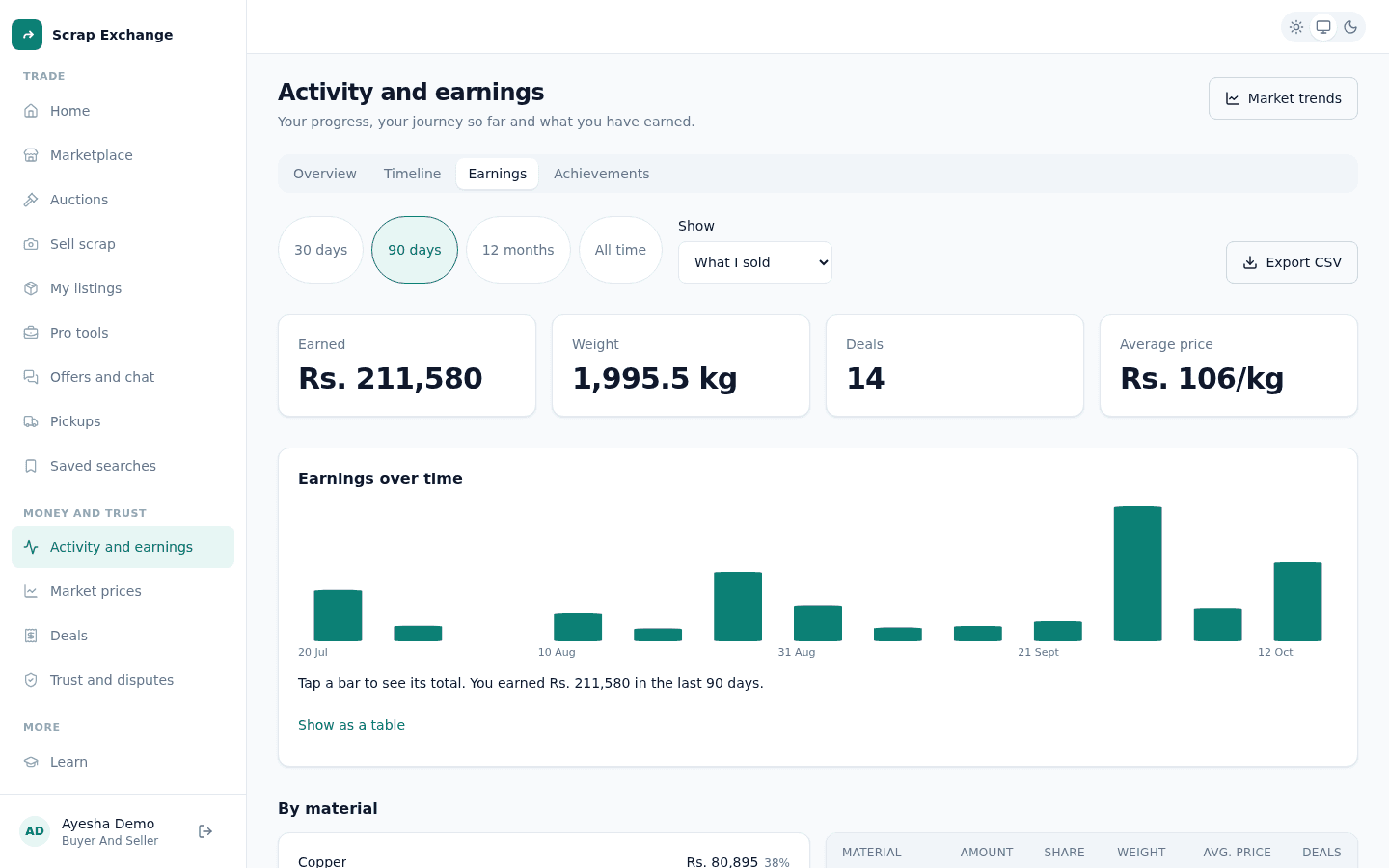
Choose what to see
- Period: 30 days, 90 days, 12 months or All time.
- Show: What I sold or What I bought.
What the page shows
- Totals for the period: the amount (with the change from the period before), the weight, the number of deals and the average price per kg.
- A chart of the amount over time. Select a bar to see its total, or choose Show as a table to read the numbers.
- By material: how much each material brought in, with its share of the total.
Only completed pickups count. A deal is completed when the seller confirms the pickup.
Download your figures
- Export CSV: every deal in the chosen period and view, as a spreadsheet file.
- Monthly statement: choose a month, then Download statement PDF or Download as CSV. The statement lists every completed deal in the month with totals by material.