My listings and leads
See every listing you have, the offers on each and what needs your reply.
My listings shows everything you have listed and the offers (leads) on each one, so you can see at a glance what needs your reply.
Works in:Android appWeb app
Open My listings
- Web app: select My listings in the menu.
- Android app: tap My listings in Quick actions on the Home screen.
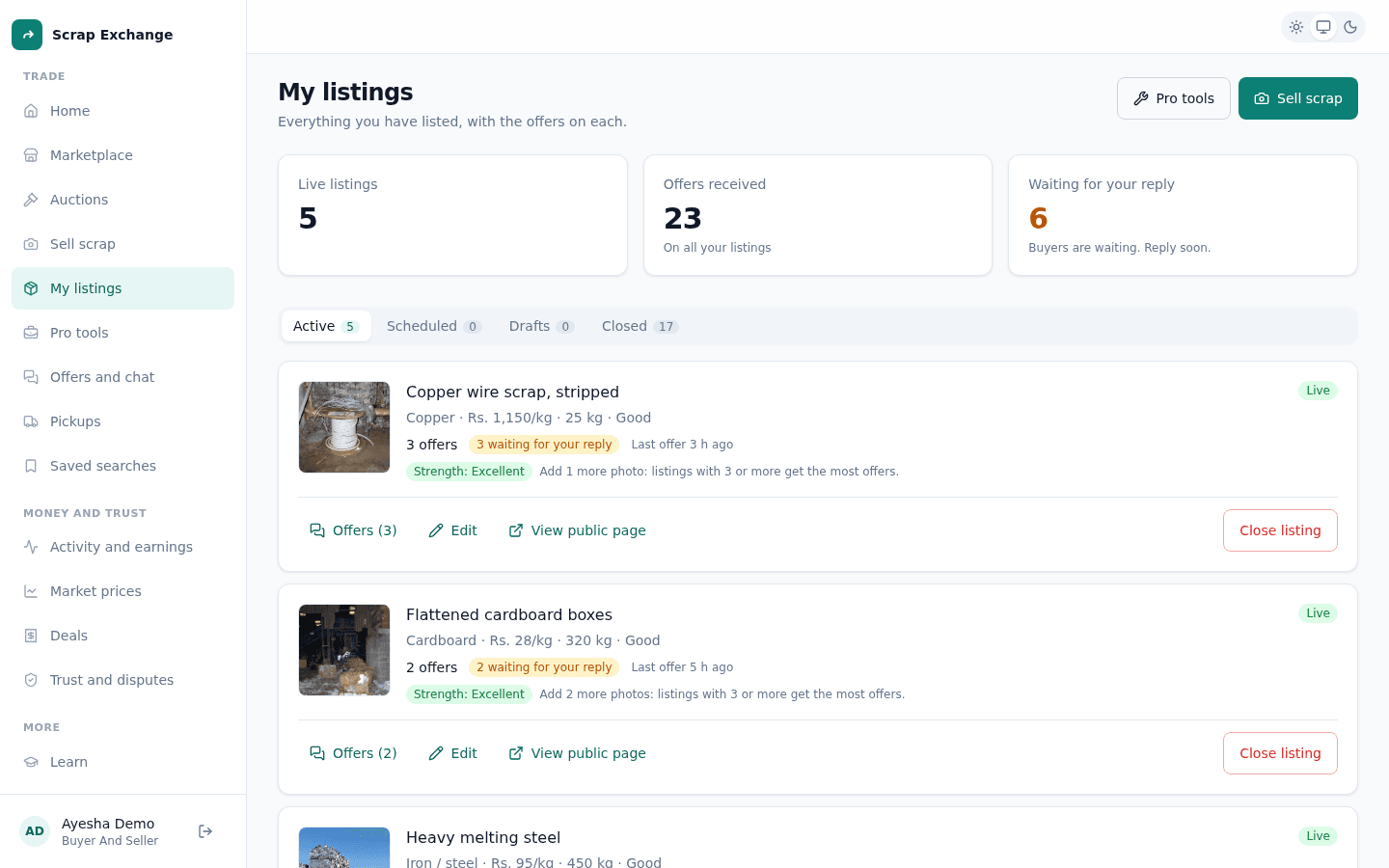
The summary at the top
- Live listings: how many buyers can see now.
- Offers received: offers on all your listings.
- Waiting for your reply: offers you haven't answered. Buyers are waiting, so reply soon. Offers expire after 48 hours without a reply.
The four tabs
| Tab | What is in it | What you can do |
|---|---|---|
| Active | Listings buyers can see now, marked Live. | See offers, edit, view the public page, close the listing. |
| Scheduled | Listings that go live later, with the time. | Wait. Scheduled listings can't be changed yet. |
| Drafts | Listings you saved to finish later. | Edit, publish, delete. |
| Closed | Listings that are Sold, Closed by you, or Removed by moderators. | See the offers they had. Reactivate a listing you closed. |
Leads on each listing
Each live or closed listing shows:
- how many offers it has had;
- a waiting for your reply badge when buyers are waiting;
- an accepted badge when you accepted an offer;
- when the last offer came in;
- its strength (Excellent, Good, Fair or Needs work) and the top tip to improve it.
Select Offers to see every offer on that listing in one place. In the app, tap View offers and chat.
Removed by moderators
If a moderator took a listing down, it moves to Closed with the reason. You can't put it back up yourself. If you think it was a mistake, use Send feedback. See Account standing.