Deals and receipts
Find the record of every completed pickup, with the final weight, price, payment and photos.
Every completed pickup is saved as a deal, with a receipt you can open at any time. Deals are the record of what was sold, for how much and how it was paid.
Works in:Android appWeb app
Find your deals
- Web app: select Deals in the menu. Choose All, Sold or Bought, and search by title, material or name.
- Android app: open Account, then Earnings & trust, then your transactions. From a completed pickup, tap View transaction record.
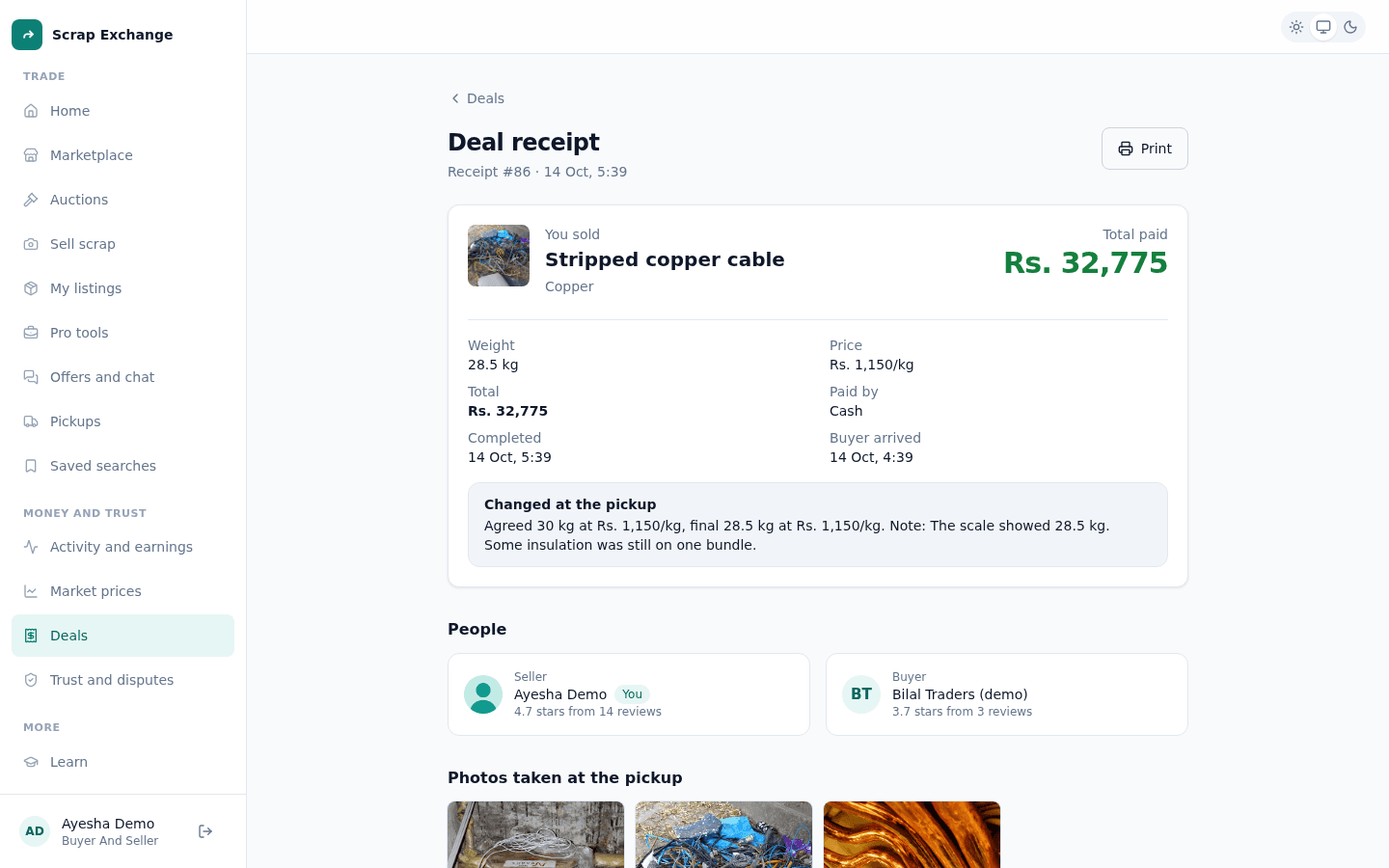
What a receipt shows
- You sold or You bought, with the receipt number and the date it was completed.
- Total paid, the final weight, the price per kg and how it was paid (cash, JazzCash, Easypaisa or bank transfer).
- Changed at the pickup: if the final weight or price was different from the agreed one, both are shown.
- The timeline of the pickup, such as when the buyer arrived.
- People: the seller and the buyer.
- Photos taken at the pickup: the scrap and the scale, as sent by the buyer. Select one to see it full size.
Report a problem with a deal
If something went wrong, such as the weight didn't match or you weren't paid, select Report a problem on the receipt. You have 7 days after the deal to do this. See Disputes.
Totals and statements
For totals by period and material, and monthly statements to download, see Earnings and statements.