Sign in
Sign in with your password, enter the 6-digit code on a new device, and reset a forgotten password.
You sign in with your email and password. On a phone or browser we haven't seen before, we also ask for a 6-digit code that we send you. This stops someone who learns your password from getting into your account.
Sign in
- Open the app, or go to scrapex.ubaidbinwaris.com (opens in a new tab) and choose Sign in.
- Enter your email and password, then select Sign in.
- If this device is new to us, you see Enter your sign-in code. We send a 6-digit code:
- by text message to your phone, if your phone number is verified;
- otherwise by email.
- Enter the code and select Sign in.
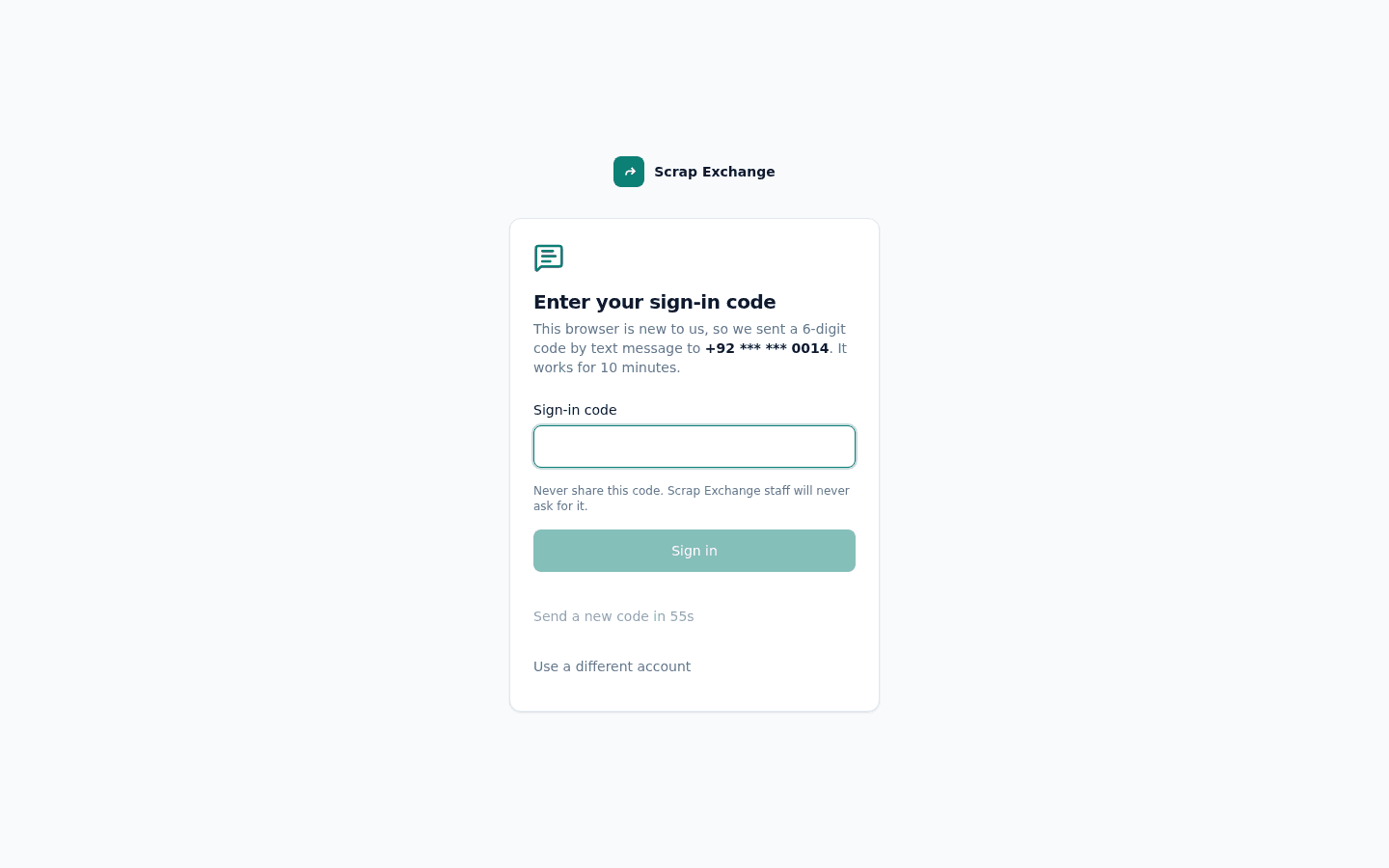
After you enter a code, the device is trusted for 30 days: it won't ask again until then. Read more in Sign-in codes and trusted devices.
About the sign-in code
- The code works for 10 minutes and only once.
- Didn't get it? Wait for the timer, then select Send a new code. Use the newest code you received. You can ask for a few new codes per sign-in.
- After 5 wrong codes, the sign-in stops. Start again with your email and password.
- To keep your account safe, we only send a limited number of sign-in codes per hour. If you see "Too many sign-in attempts", wait an hour and try again.
Sign in with Google (Android app)
In the Android app you can also tap Continue with Google. On a new phone, we may still ask for a sign-in code.
Forgot your password?
- On the sign-in screen, choose Forgot password?
- Enter the email you signed up with. We email you a 6-digit code (check your spam folder too).
- Enter the code and choose a new password. The code works for 10 minutes.
- Sign in with your new password.
Resetting your password signs you out on every device, and every device asks for a sign-in code again the next time.
Locked out after wrong passwords
After 5 wrong passwords in 10 minutes, the account is locked for 15 minutes. The message tells you how long to wait. If you can't remember the password, reset it instead.
Messages you might see
| Message | What to do |
|---|---|
| Invalid email or password | Check both and try again. Passwords are case sensitive. |
| Please verify your email address before logging in | Open the link in the email we sent when you signed up, or ask for a new one. |
| That code isn't right | Check the newest code and try again. The message tells you how many tries are left. |
| This sign-in has expired | The code timed out or ran out of tries. Sign in again with your password. |
| Please update the Scrap Exchange app to sign in | Your app is too old to show the code screen. See Required updates. |
| This account has been suspended | A moderator suspended the account. See Account standing. |