Phone and browsers at the same time
Stay signed in on one phone and any number of browsers, and what happens when you sign in on a new phone.
You can use Scrap Exchange on your phone and in your browsers at the same time, with the same account. There is one rule to know: one phone at a time, and any number of browsers.
The rule
- Phone (Android app): one phone at a time. If you sign in on a new phone, the old phone is signed out and tells you why ("You signed in on another phone, so this one was signed out").
- Browsers (web app): any number. Signing in on a computer never signs out your phone or your other browsers.
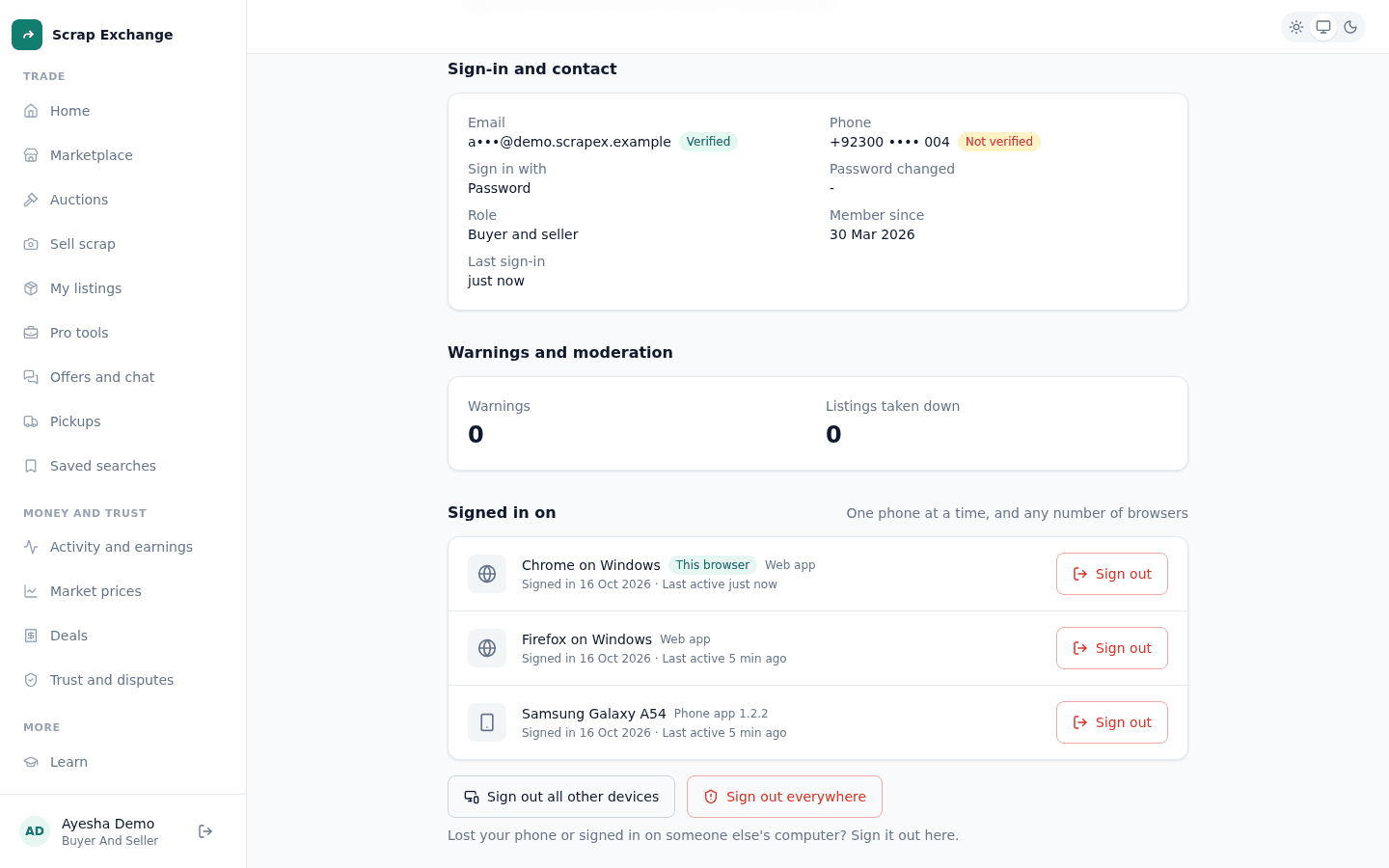
See where you are signed in
- Web app: open Settings, then Account status and devices. Under Signed in on you see every phone and browser, like "Chrome on Windows", with when it signed in and when it was last used. The one you are using is marked This browser.
- Android app: open Account, then Account status. Under Signed in on you see your phone.
From there you can sign out one device, or every device at once. See Devices and signing out.
What happens when you sign out
- Sign out in the web app's menu or Settings signs out only that browser. Your phone and other browsers stay signed in.
- Sign out in the Android app's Account screen signs out only that phone.
- Sign out everywhere signs out every phone and browser, including the one you are using, and every device needs a sign-in code next time.
When you might be signed out without asking
- On the web, after 2 hours without activity. See Automatic sign-out.
- When you change or reset your password: every device is signed out.
- When you sign in on a new phone: the old phone is signed out.
- When you, or a moderator, use Sign out everywhere.
- When an account is suspended or deleted.
In each case the sign-in screen tells you why.