Pro tools: bulk listing and managing listings
List up to 20 lots at once and change prices or close many listings in one go.
Pro tools are for sellers who list often: dealers, shops and anyone with many lots. They are free and open to every seller account.
Works in:Android appWeb app
Open Pro tools
- Web app: select Pro tools in the menu.
- Android app: open Account, then Pro tools, or tap Pro tools in Quick actions on the Home screen.
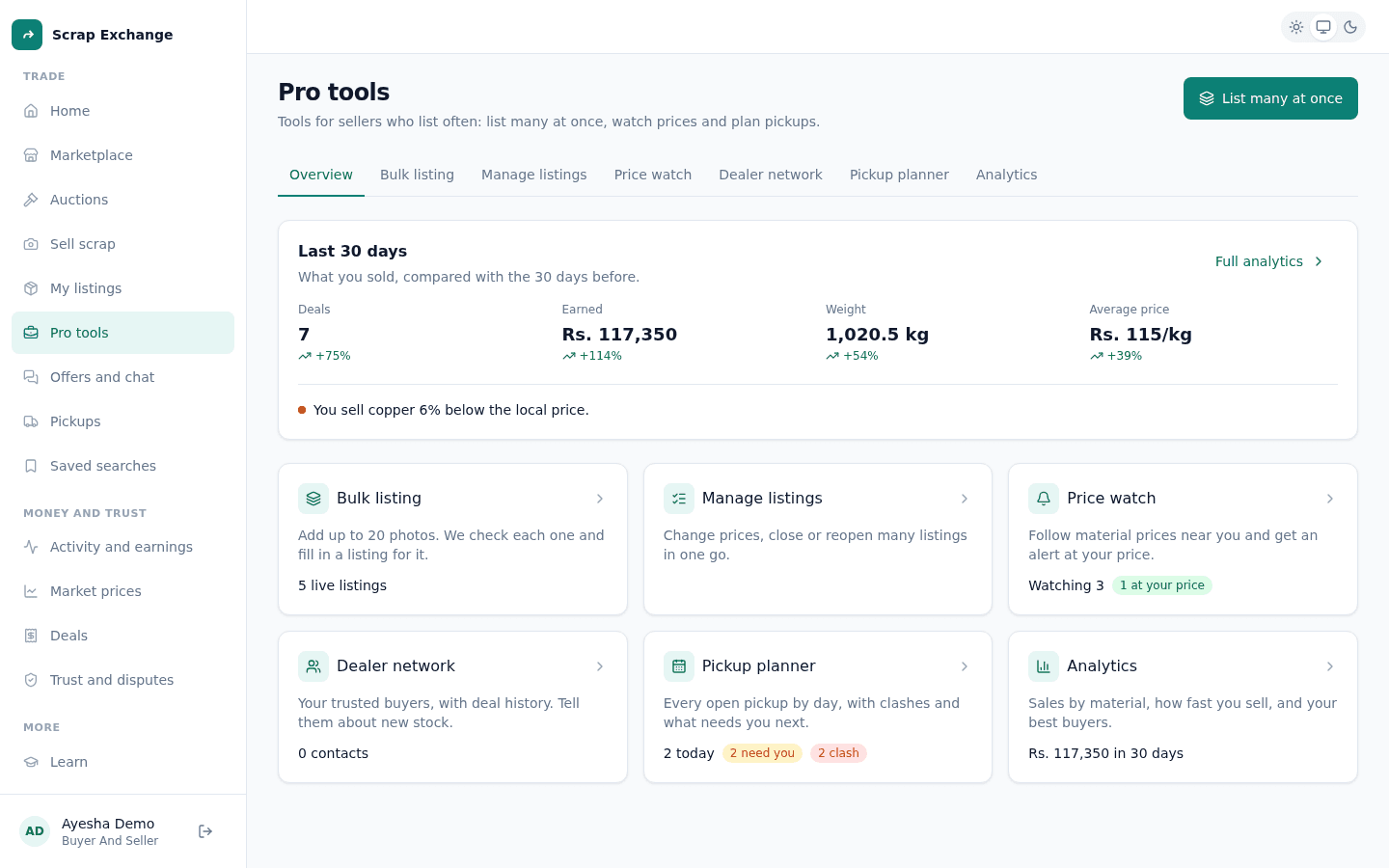
The Pro tools page shows a summary of your business and links to each tool:
| Tool | What it does |
|---|---|
| Bulk listing | Add up to 20 photos. We check each one and fill in a listing for it. |
| Manage listings | Change prices, close or reopen many listings in one go. |
| Price watch | Follow material prices near you and get an alert at your price. |
| Dealer network | Your trusted buyers, with deal history. Tell them about new stock. |
| Pickup planner | Every open pickup by day, with clashes and what needs you next. |
| Analytics | Sales by material, how fast you sell, and your best buyers. |
This page covers bulk listing and managing listings. The other tools are in Pro tools: watchlist, network, planner and analytics.
Bulk listing: list many lots at once
Each photo becomes its own listing.
- Open Pro tools and choose List many at once.
- Add up to 20 photos, one lot per photo.
- We check each photo and fill in a title, material, weight and price per kg. Wait until "Checking the photo" disappears from every row.
- Check each row and fix anything wrong. Each lot needs a title of at least 5 characters, a material, a weight and a price per kg. Remove a lot with its remove button.
- Optional: tick Same material for every lot and choose the material, or Tell my dealer network to let your contacts know.
- Publish them all, or select Save as drafts to publish later from My listings.
If any row has a problem, nothing is published and the row is pointed out, so you can fix it and try again. You can create up to 60 listings a day with the bulk tools.
Manage listings: change many at once
- Open Pro tools, then Manage listings.
- Tick the listings you want to change.
- Choose what to do:
- Change price: choose Raise or Lower and a percent between 1% and 50%. Each price per kg changes by the same percent, rounded to whole rupees.
- Close listings: buyers won't see them. Open offers stay in your chats. Reopen them later from the Closed tab.
- Tell network: send a listing to the people in your dealer network.
Listings with a pickup in progress or an accepted offer can't be repriced or closed. If some listings didn't change, the page tells you which ones and why.