Photo scan and AI estimate
Take photos of your scrap and get a guess of the material, weight and a fair price per kg.
Not sure what your scrap is, or what it is worth? Take a few photos. Scrap Exchange guesses the material, the weight and a fair price per kg, and fills in your listing for you. You can change anything before you publish.
Works in:Android appWeb app
Scan in the Android app
The app's camera guides you through a few views of the same item and checks each photo as you take it.
- On the Home screen, under Quick actions, tap Scan scrap.
- Allow the camera if Android asks.
- Follow the steps on screen: a top view (hold the camera directly above the scrap), then the left side and the right side (move to the side and tilt slightly down). You can add up to two extra views.
- Watch the hints at the top. The app tells you if the picture is too dark, too bright, blurry, has glare, or if you need to hold the phone steady. Fix it and take the photo again.
- Tap Analyse photos. The app shows its best guess, for example "Looks like Copper" and how sure it is.
- Tap Confirm and view price, or tap Change material if the guess is wrong.
- On Scan result, check the material, the estimated size and the estimated weight. Change anything that looks off, then continue to create your listing.
Screenshot coming soon
Screenshot coming soon
Improve accuracy
- Reference object: under Improve accuracy, choose an everyday object of a known size that is in the photo. It helps the app estimate the size and weight.
- Material: if you already know the material, you can tell the app before you scan.
- Not the right material? Tap Pick from examples to choose it yourself from example photos.
Scan history
Every scan is saved under Scan history, so you can reuse a valuation later without scanning again.
Check photos in the web app
- Open Sell scrap.
- Add up to 5 photos from different sides. The first one is the main photo. Use JPEG, PNG or WebP photos up to 10 MB each.
- Select Check my photos.
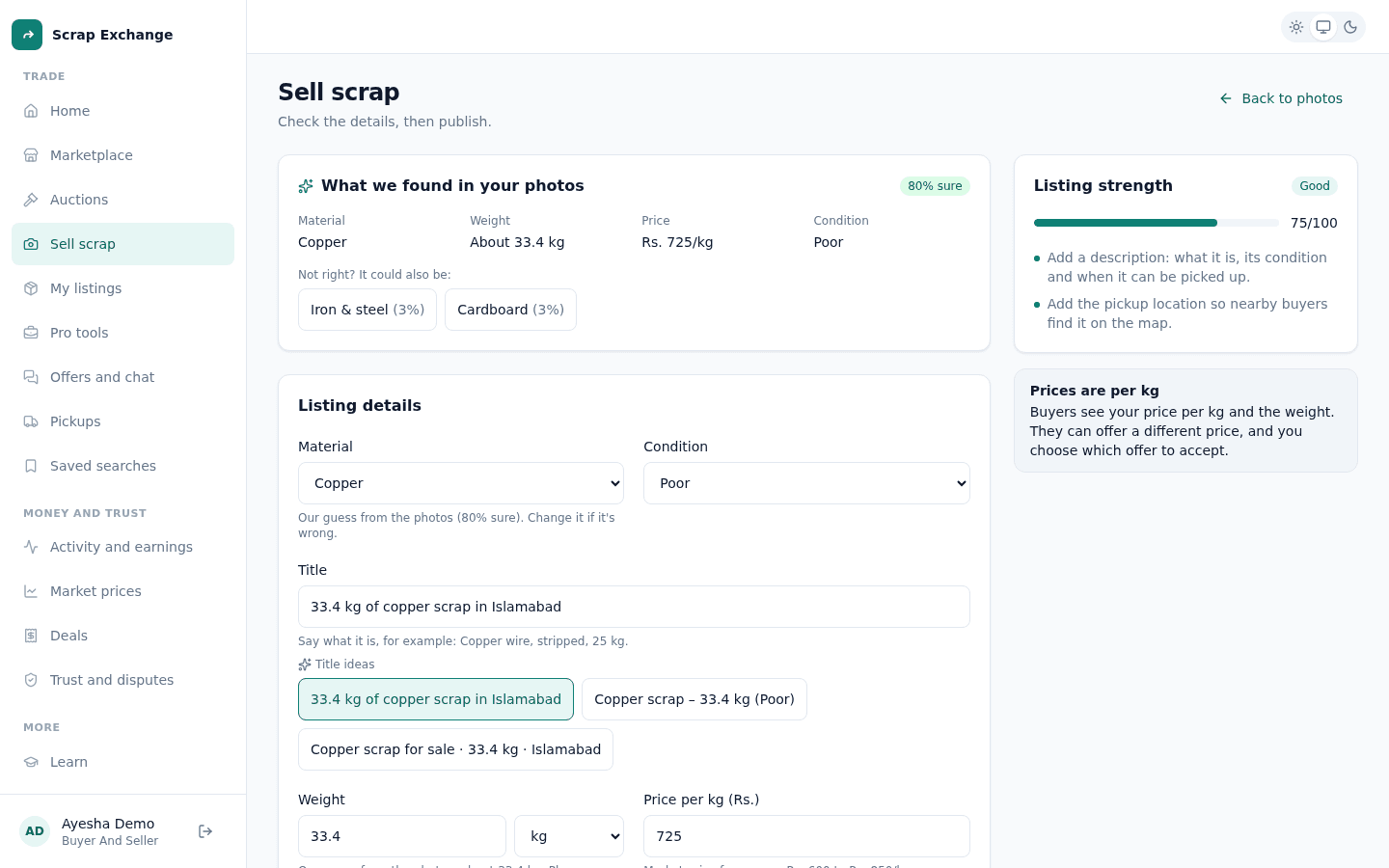
- Under What we found in your photos, check the material, weight, price per kg and condition, with how sure we are (for example "82% sure").
- If the material is wrong, pick one of the other suggestions under Not right? It could also be, or choose it yourself in the form.
Prefer to type it all yourself? Select Skip, I'll fill it in myself.
How good is the estimate?
- The material comes from comparing your photos with many real photos of each material.
- The weight is a rough guess from the photos. Weigh the scrap if you can and enter the real weight: buyers weigh it again at the pickup and pay for the real weight.
- The price per kg comes from recent deals and listings, so it follows the market. See Market prices.